Eleven sensor entities per device
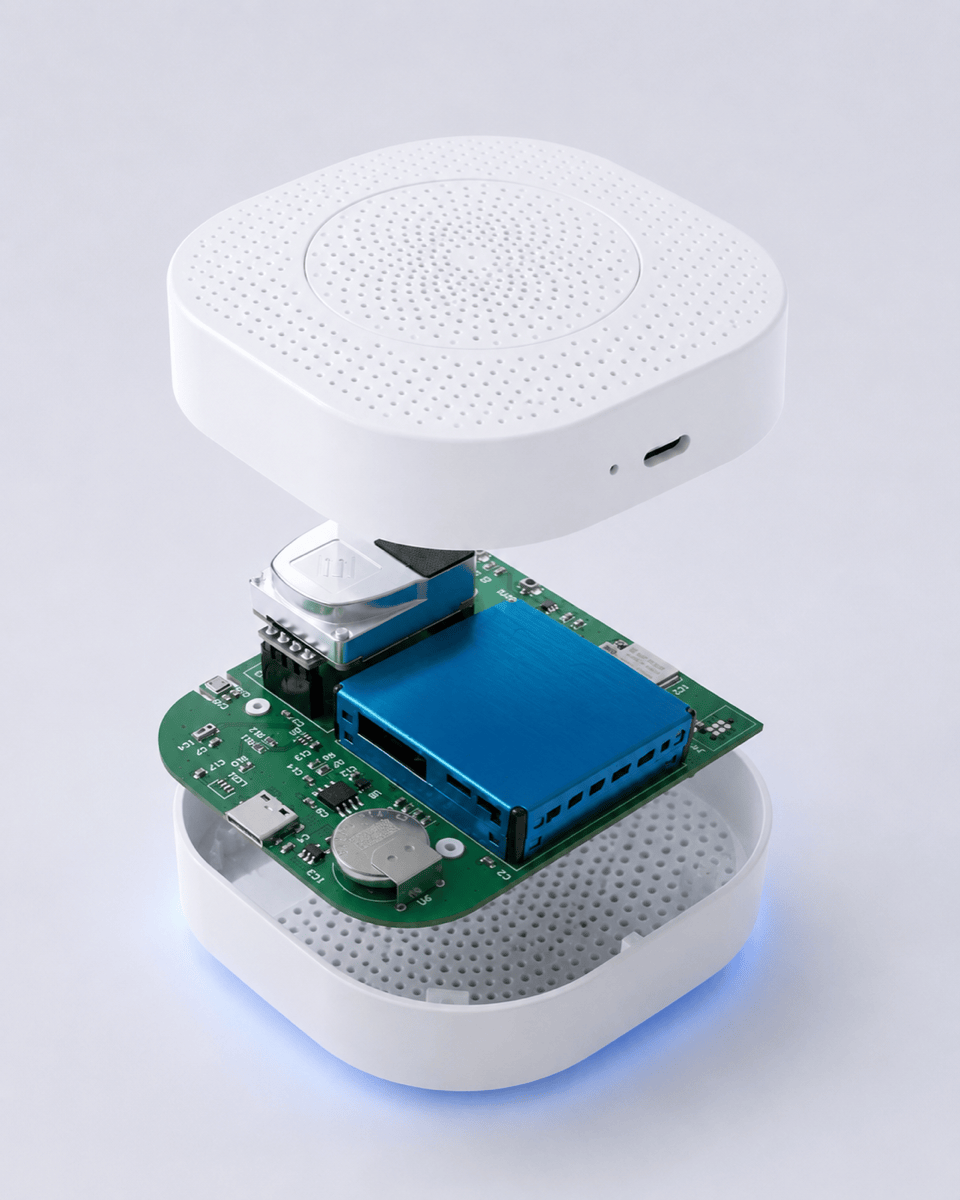
Each Envora One creates eleven sensor entities in Home Assistant:
- CO₂ (NDIR, ppm)
- PM1, PM2.5, PM10 (µg/m³)
- VOC (index)
- CO (ppm)
- Temperature (°C)
- Humidity (%RH)
- Atmospheric pressure (hPa)
- Light (lux)
- Sound level (dBA)
- Fused IAQ score (0–100)
Plus device-level entities for last-seen, firmware version and signal strength. Each entity has the appropriate `device_class`, `unit_of_measurement` and `state_class` for native Home Assistant graphing and statistics.
- CO₂ (NDIR, ppm)
- PM1, PM2.5, PM10 (µg/m³)
- VOC (index)
- CO (ppm)
- Temperature (°C)
- Humidity (%RH)
- Atmospheric pressure (hPa)
- Light (lux)
- Sound level (dBA)
- Fused IAQ score (0–100)
Plus device-level entities for last-seen, firmware version and signal strength. Each entity has the appropriate `device_class`, `unit_of_measurement` and `state_class` for native Home Assistant graphing and statistics.
Setup in Home Assistant
1. Plug in your Envora One. Connect to your WiFi via the setup app.
2. Point the device at your MQTT broker (host, port, optional credentials).
3. Home Assistant auto-discovers the device within 5–10 seconds.
4. The eleven entities appear in Settings → Devices & Services → MQTT.
5. Add the device to a dashboard, build automations, push to InfluxDB.
No custom integration, no HACS install, no manual YAML configuration. The auto-discovery topics are emitted under
2. Point the device at your MQTT broker (host, port, optional credentials).
3. Home Assistant auto-discovers the device within 5–10 seconds.
4. The eleven entities appear in Settings → Devices & Services → MQTT.
5. Add the device to a dashboard, build automations, push to InfluxDB.
No custom integration, no HACS install, no manual YAML configuration. The auto-discovery topics are emitted under
homeassistant/sensor/envora_{device_id}_{channel}/config on first boot.
Example automations
CO₂-driven ventilation: open a smart vent or run an MVHR when bedroom CO₂ exceeds 1,500 ppm.
PM2.5-driven purifier: turn on a smart-plug-controlled air purifier when kitchen PM2.5 exceeds 35 µg/m³.
Humidity-driven dehumidifier: run a dehumidifier when bathroom RH stays above 70% for more than 30 minutes after a shower.
Mould-risk alert: push a notification when sustained RH against the wall in a north-facing bedroom exceeds 75% for 4+ hours.
All of these are standard Home Assistant automations against Envora's MQTT-published entities.
PM2.5-driven purifier: turn on a smart-plug-controlled air purifier when kitchen PM2.5 exceeds 35 µg/m³.
Humidity-driven dehumidifier: run a dehumidifier when bathroom RH stays above 70% for more than 30 minutes after a shower.
Mould-risk alert: push a notification when sustained RH against the wall in a north-facing bedroom exceeds 75% for 4+ hours.
All of these are standard Home Assistant automations against Envora's MQTT-published entities.